

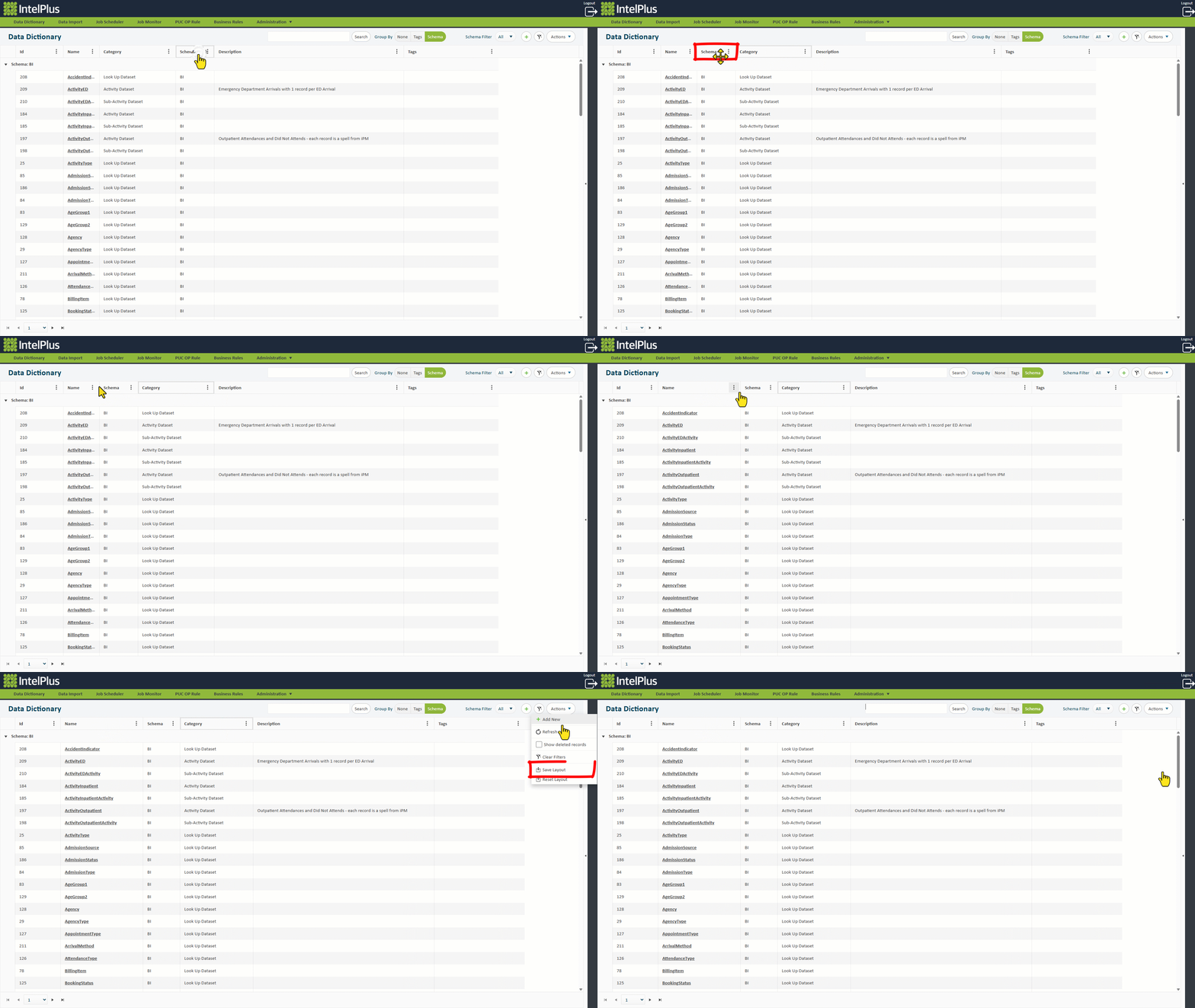
You can customise the order of columns by clicking and dragging the heading.
The image below shows the Schema column being dragged to the left.
Customise the width of each column by simply dragging the column margins (as illustrated below).
Save these changes for your customised view, each time you visit the saved screen, by selecting  under the
  menu.
menu.
Feedback
Copyright © 2026 CBS
—
Powered by 
Post your comment on this topic.