

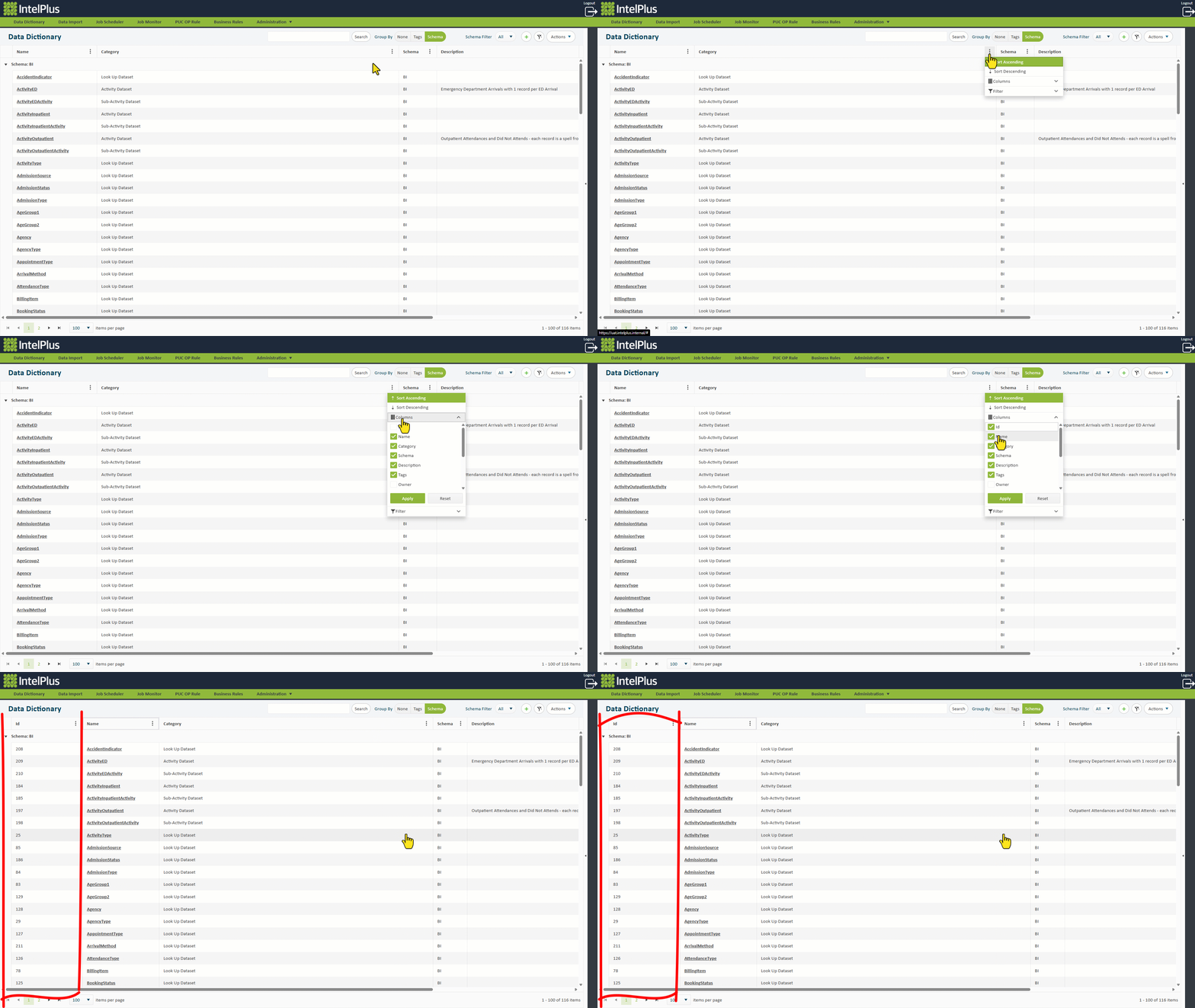
In some screens, columns are hidden by default. These can be unhidden by clicking on the three dots  and then
  .
.
All columns will show in a list and any that have a tick are columns that are showing. Tick or untick the boxes for the columns you want to hide/unhide. Click  .
.
The image below demonstrates the ID column being selected. Save this view for each time you visit the screen by selecting  under the
  menu.
menu.
Feedback
Copyright © 2026 CBS
—
Powered by 
Post your comment on this topic.