

You can filter each column of a grid view page and refine your search results using filter operators. The following operators are available in all grid filters:
- Contains – returns records where the field includes the specified text.
- Is equal to – returns records that exactly match the value.
- Is not equal to – excludes records that match the value.
- Does not contain – returns records where the field does not include the specified text.
- Starts with – returns records beginning with the specified text.
- Ends with – returns records ending with the specified text.
- Is null – returns records where no value is present.
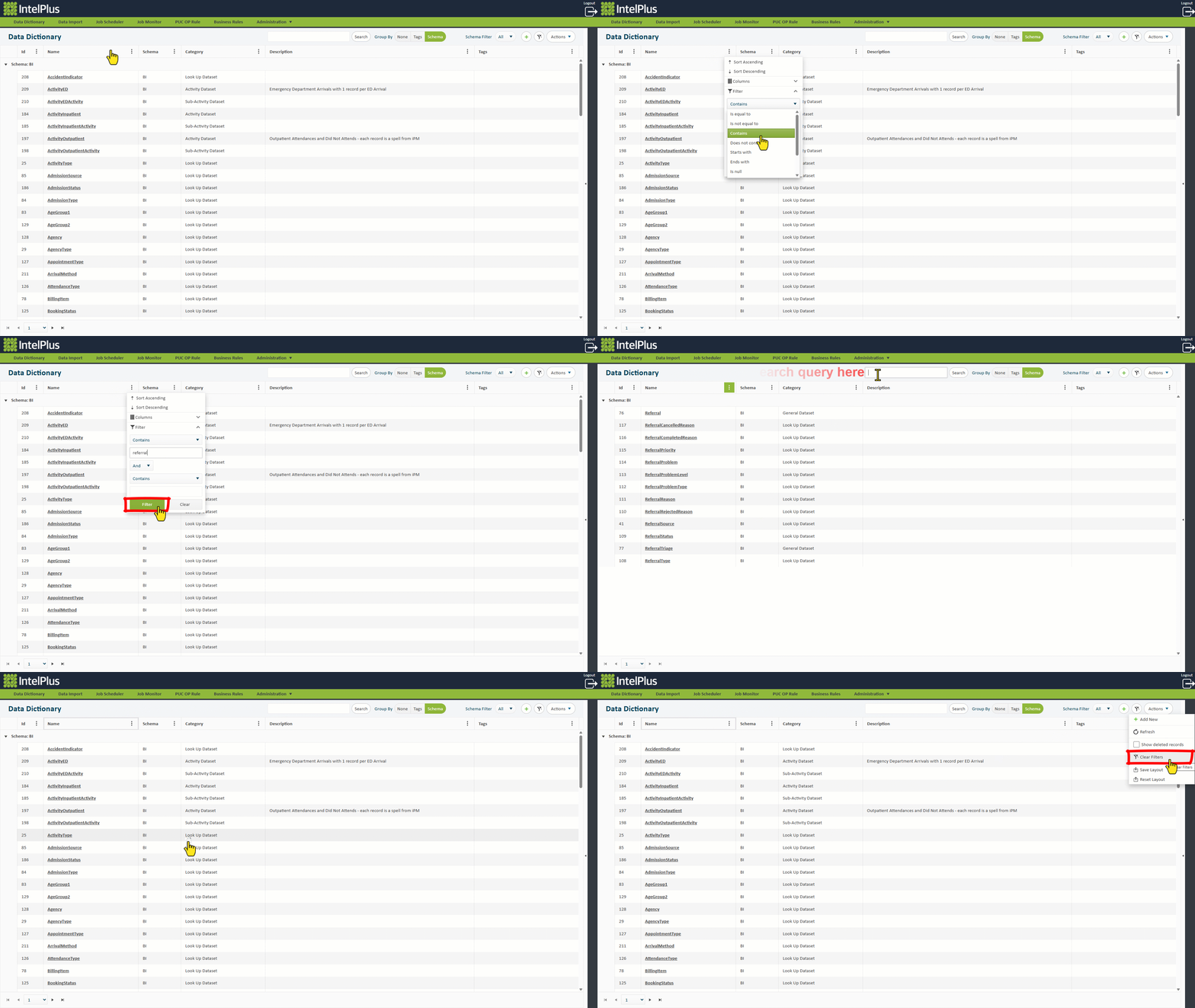
The image below shows a “Contains” filter option as well as using the search bar as an alternative. The image also shows the various ways in which you can clear the filters.
Feedback
Copyright © 2026 CBS
—
Powered by 
Post your comment on this topic.