

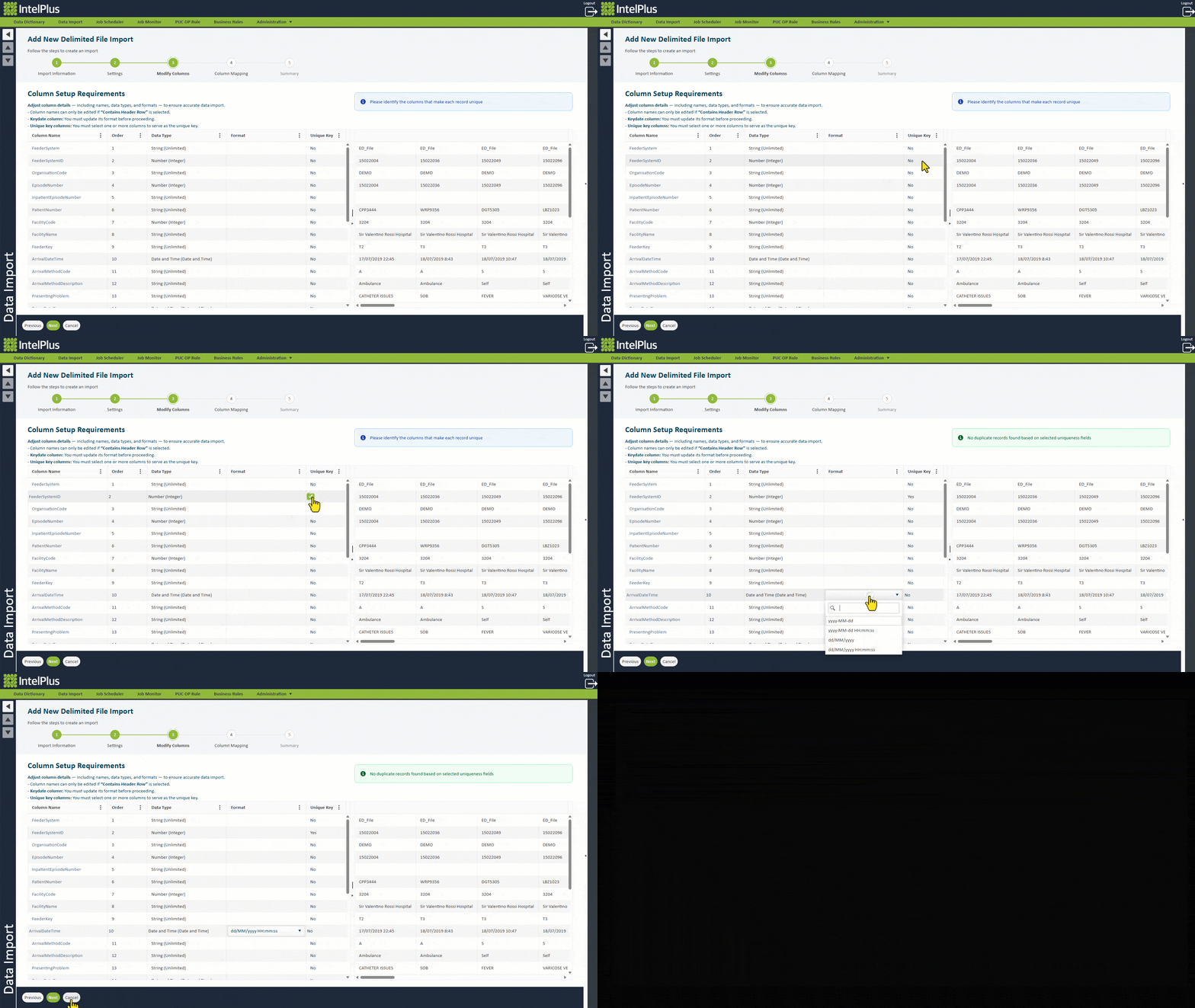
The steps to modify columns from a Delimited file are as follows:
- Review each column for appropriate data types. If not using a String data type, data will be rejected during validation if the data does not comply.
- For date and/or time columns, set the format of the data e.g. “yyyy-MM-dd”. The date and/or time formats must be consistent for all future files.
- Mark the field/s that make a record unique. Data will be rejected if the Key is not unique and is used in future loads to identify records that need to be updated.
a. As you flag columns as the Unique Key, the system will validate this against the first 50 records
b. Used as the Feeder System ID
- Click Next.
The image below illustrates some examples of modifying columns.
Feedback
Copyright © 2026 CBS
—
Powered by 
Post your comment on this topic.